🛡️ Wi-Fi safety, in one tap

Is this Wi-Fi safe?
Now you'll know.

Cafes, airports, hotels, trains — before you trust their Wi-Fi, WiSure checks it and gives you a clear answer: safe, be careful, or use mobile data instead.

WiSure showing a Wi-Fi safety score WiSure showing per-app advice WiSure showing what it found
🔒 No account needed ☁️ No cloud sync 🚫 No ads or tracking 📱 Results stay on your phone
Why WiSure

You don't need to understand Wi-Fi security.

You just need to know whether this is a network you should trust before you do something important.

📶

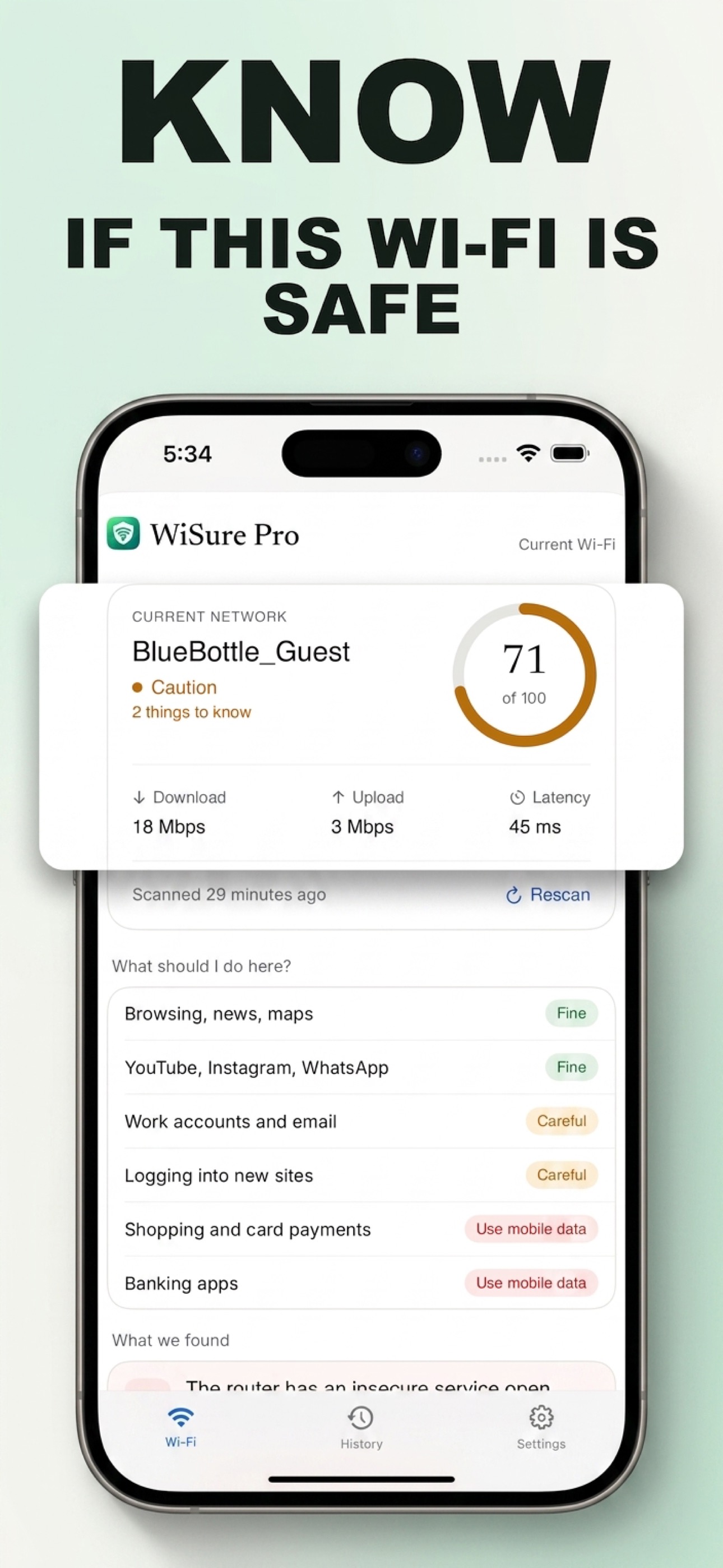
One scan, a clear score

WiSure checks encryption, interception, DNS, the router and who else is on the network — then turns it into a single score and a plain verdict: Safe, Caution, or Unsafe.

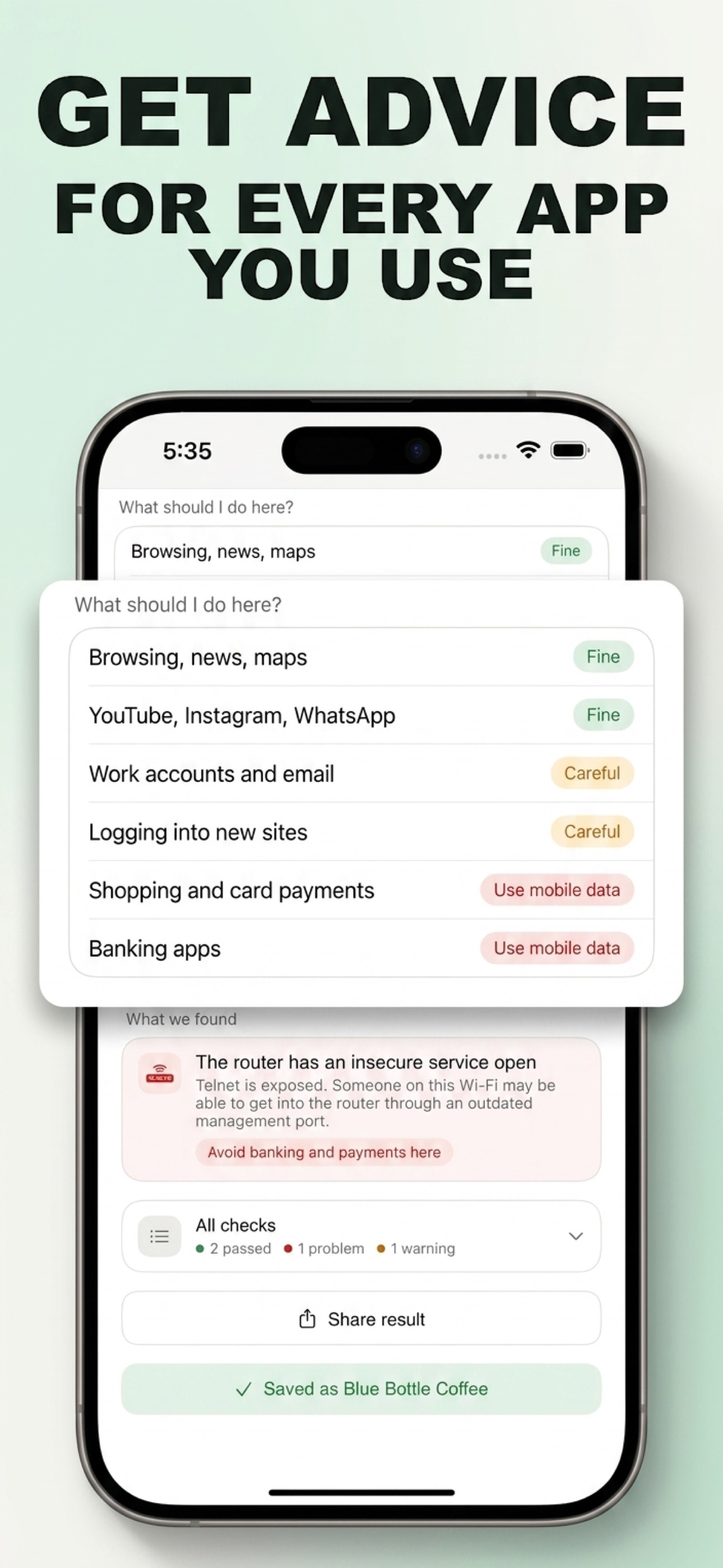
Advice for what you're doing

Not every activity carries the same risk. WiSure tells you what's Fine, what to be Careful with, and where to switch to mobile data — for browsing, banking, shopping, work and more.

🔍

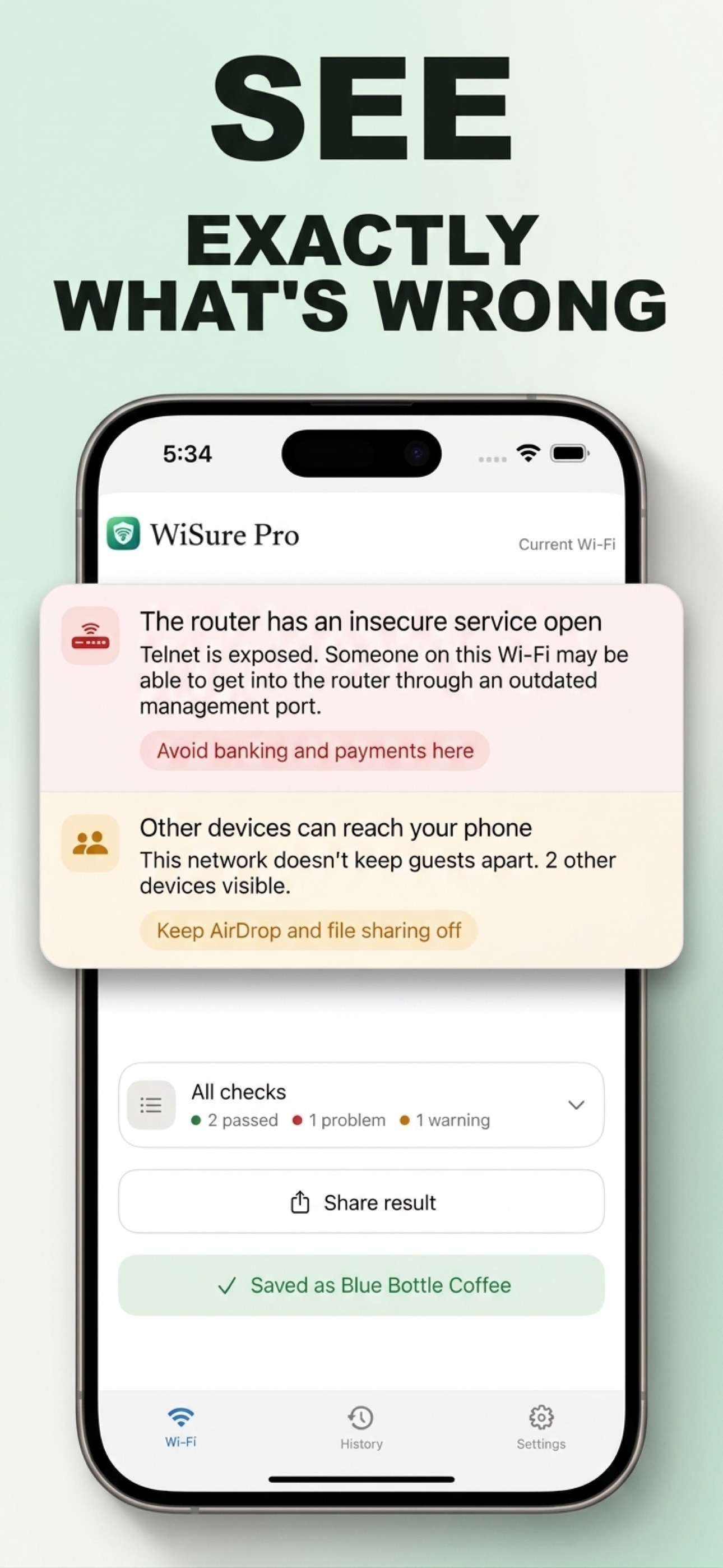
See exactly what's wrong

No vague warnings. If something's off — an exposed router service, other devices that can reach you — WiSure explains it in plain language and what to do about it.

📍

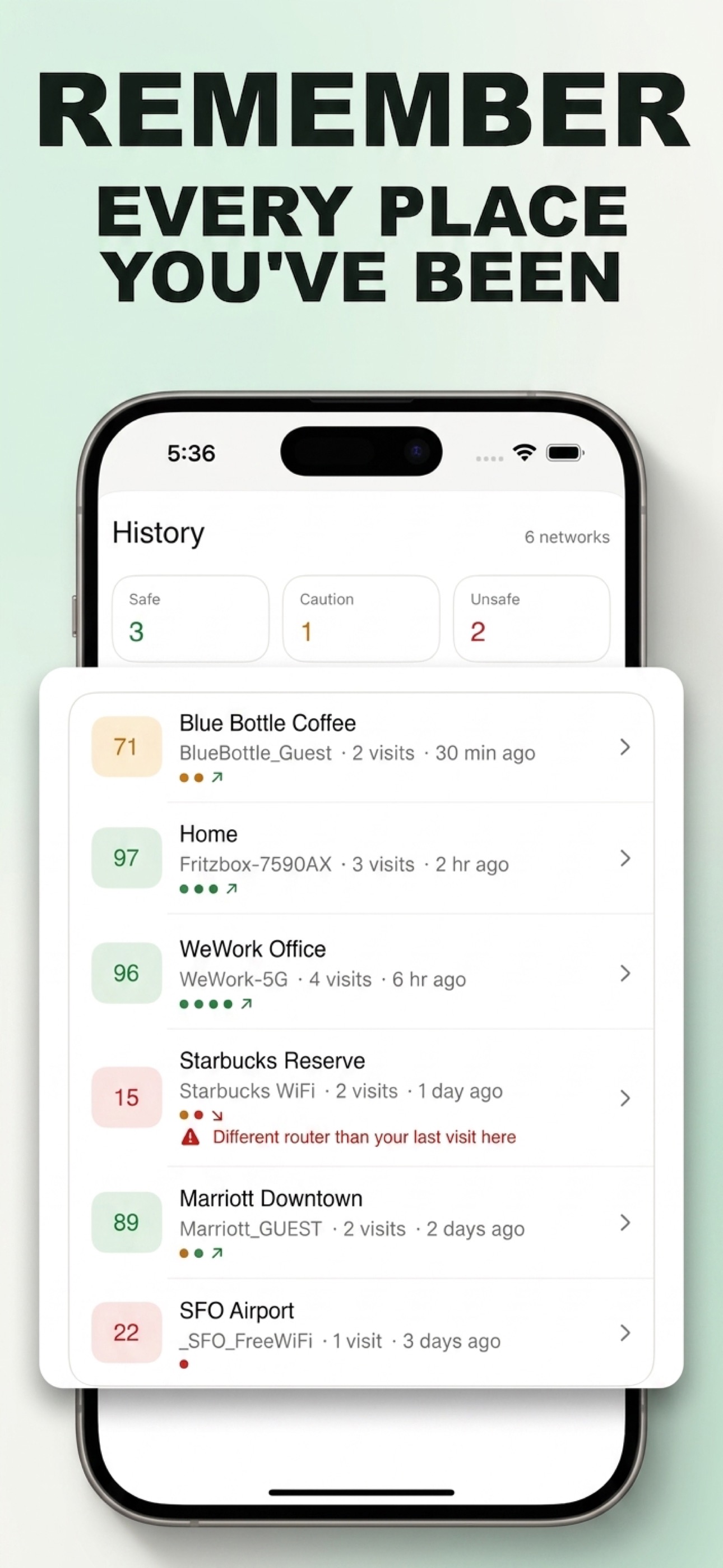
Remembers places you trust

Save the networks you use often. WiSure recognizes them next time, and flags it when something meaningful has changed — like a different router answering the same name.

🔐

Private by design

Scans run on your phone and your results stay there. No account, no cloud sync, no ads or tracking. WiSure doesn't need to read your browsing traffic to tell you what it finds.

Takes under a minute

Open the app, let it scan, get your answer. No configuration, no networking knowledge required — just a clear answer before you connect.
What should I do here?

Simple advice, not technical jargon.

The same scan, turned into an answer for every app you actually use.

Browsing, news, mapsFine
YouTube, Instagram, WhatsAppFine
Work accounts and emailCareful
Logging into new sitesCareful
Shopping and card paymentsUse mobile data
Banking appsUse mobile data
A look inside

Every screen, at a glance.

WiSure safety score screen WiSure per-app advice screen WiSure findings screen WiSure history screen
Pricing

Free to check. Pro for full detail.

Every scan gives you a score and verdict for free. WiSure Pro unlocks the full breakdown — every finding, every activity, every place you save.

Monthly

$3.99 / month
Cancel anytime
  • ✓ Full findings breakdown
  • ✓ Per-activity advice
  • ✓ Unlimited saved places
  • ✓ Change alerts
Start free trial

Lifetime

$39.99 once
Pay once, use forever
  • ✓ Full findings breakdown
  • ✓ Per-activity advice
  • ✓ Unlimited saved places
  • ✓ Change alerts
Get lifetime access

Prices shown in USD. The App Store automatically shows local pricing for your country and currency at checkout.

FAQ

Questions, answered.

Does WiSure need an account?

No. There's no sign-up, no login, and no account of any kind. Open the app and scan.

Does WiSure see my browsing activity?

No. WiSure checks the network itself — encryption, DNS, the router, who else is connected — it never reads or needs your browsing traffic to do that.

Where do my scan results go?

Nowhere but your phone. Scans run entirely on-device and results are stored locally — WiSure has no cloud sync or servers that store your data.

What permissions does WiSure need, and why?

iOS requires Location permission before any app can read the name of the Wi-Fi you're connected to — WiSure uses it only to identify and remember networks. It may also ask for Local Network access, used only for checks that need to see devices on your local network.

What's the difference between free and Pro?

Every scan is free and gives you a score and overall verdict. WiSure Pro unlocks the full detail behind that verdict — every individual finding, advice broken down per activity, and unlimited saved places with change alerts.

How do I cancel my subscription?

WiSure subscriptions are billed and managed entirely through Apple. Go to Settings → [your name] → Subscriptions on your iPhone to view, change, or cancel at any time.

Check once. Then relax.

Free to download. Try your first scan on the Wi-Fi you're using right now.

Download on the App Store