In the app
What you actually see
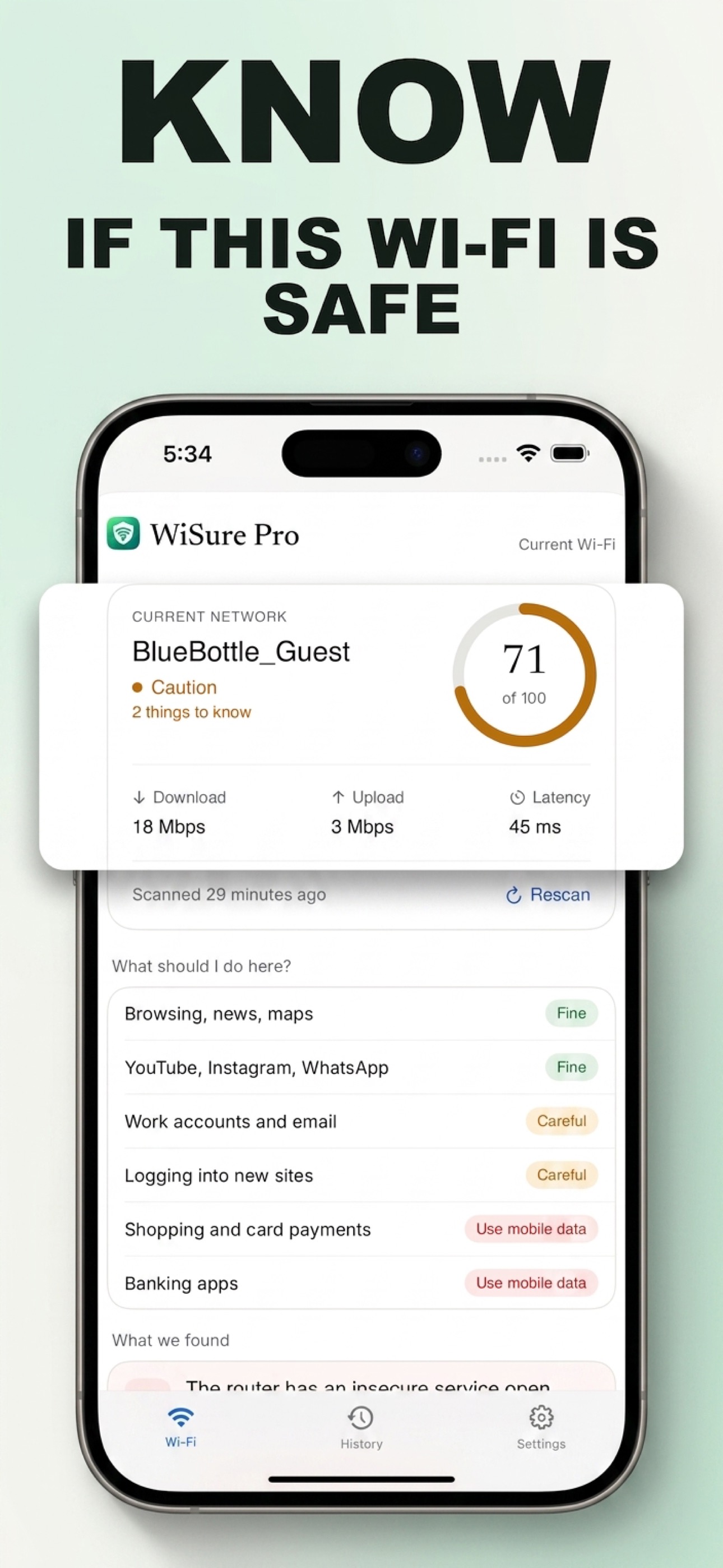
WiSure analyzes the network you're connected to and checks for signals that may indicate security or privacy problems. One scan, then a clear answer: Safe, Caution, or Unsafe.
Each one is a specific question about the network you're on. Together they decide the score and the verdict.
Whether the network is encrypted at all, and how strongly. Open and WEP networks are treated very differently from WPA2/WPA3.
Whether anything is sitting between you and the sites you visit, presenting certificates that don't match.
Whether requests that should stay encrypted are being pushed onto insecure connections.
Whether pages are being modified in transit, with extra scripts or ads inserted.
Whether website addresses resolve where they should, or are being redirected somewhere else.
Which resolver the network hands out, and whether answers look consistent.
Whether a login page stands between you and the internet, and what that means for what you type into it.
Which services the network allows through, and which it closes off.
How the connection actually performs, and whether it looks unstable.
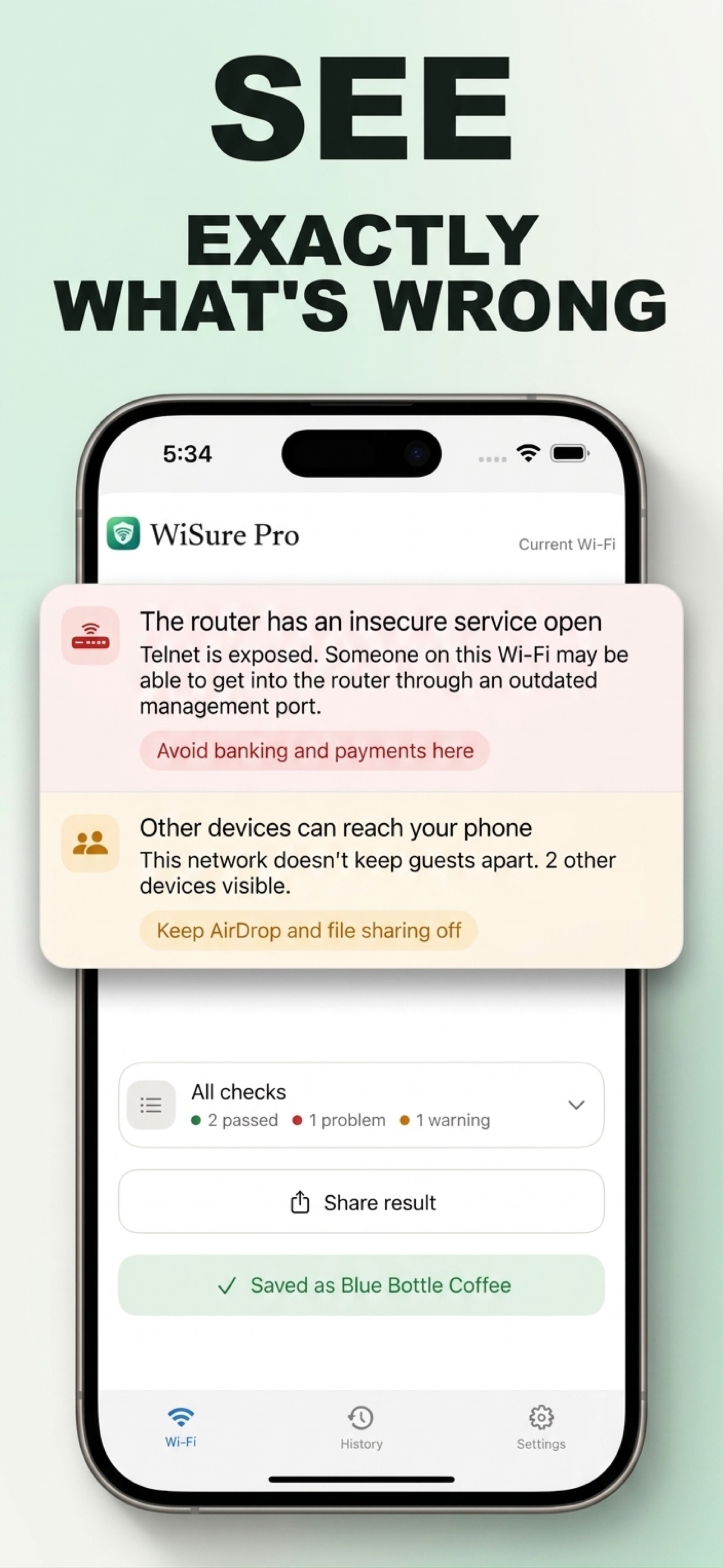
Whether other devices on the same network can reach your phone.
Whether the router's admin surface is reachable by anyone on the network.
Where your traffic leaves for the internet, and whether that looks unexpected.
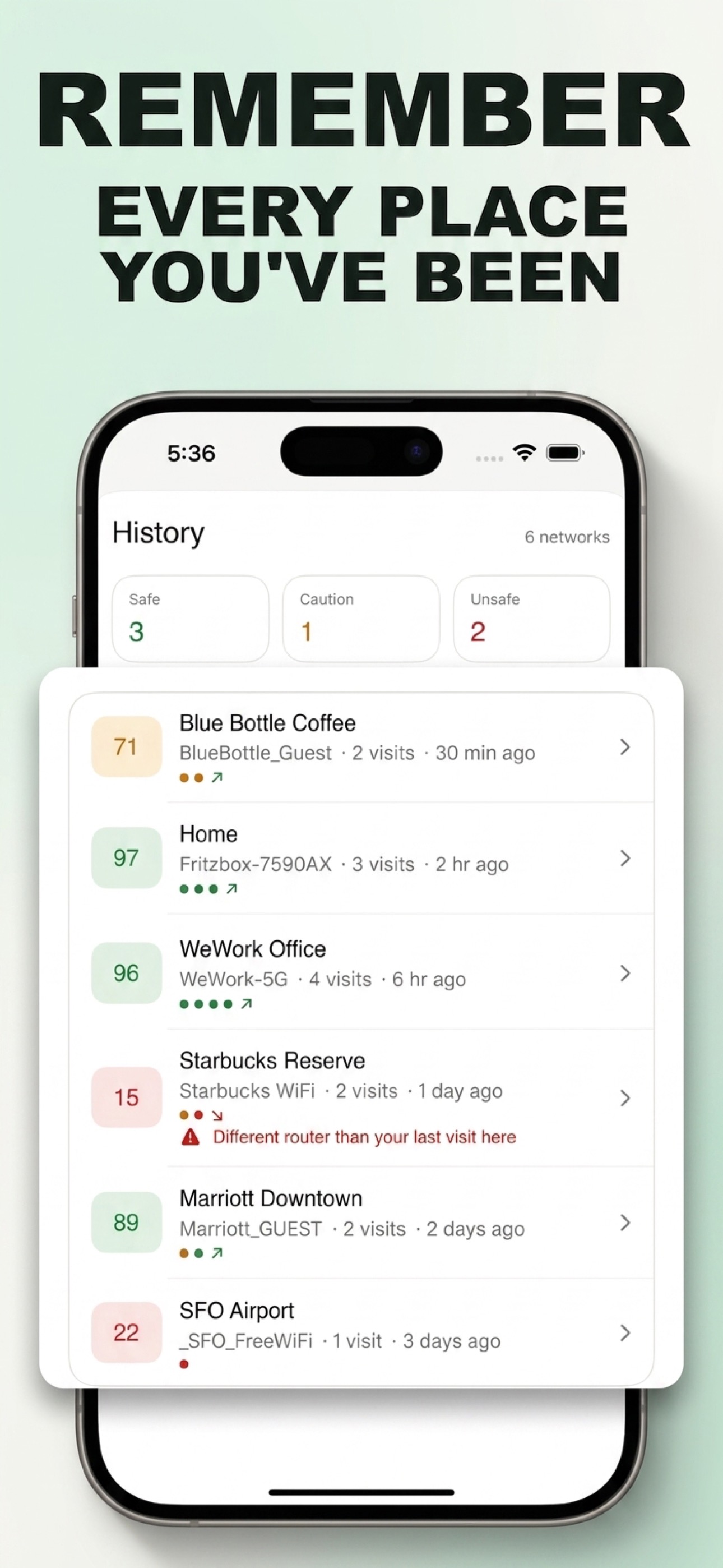
Whether the hardware answering a familiar network name has changed since your last visit.
The score is severity-weighted: one serious finding matters more than several minor ones.
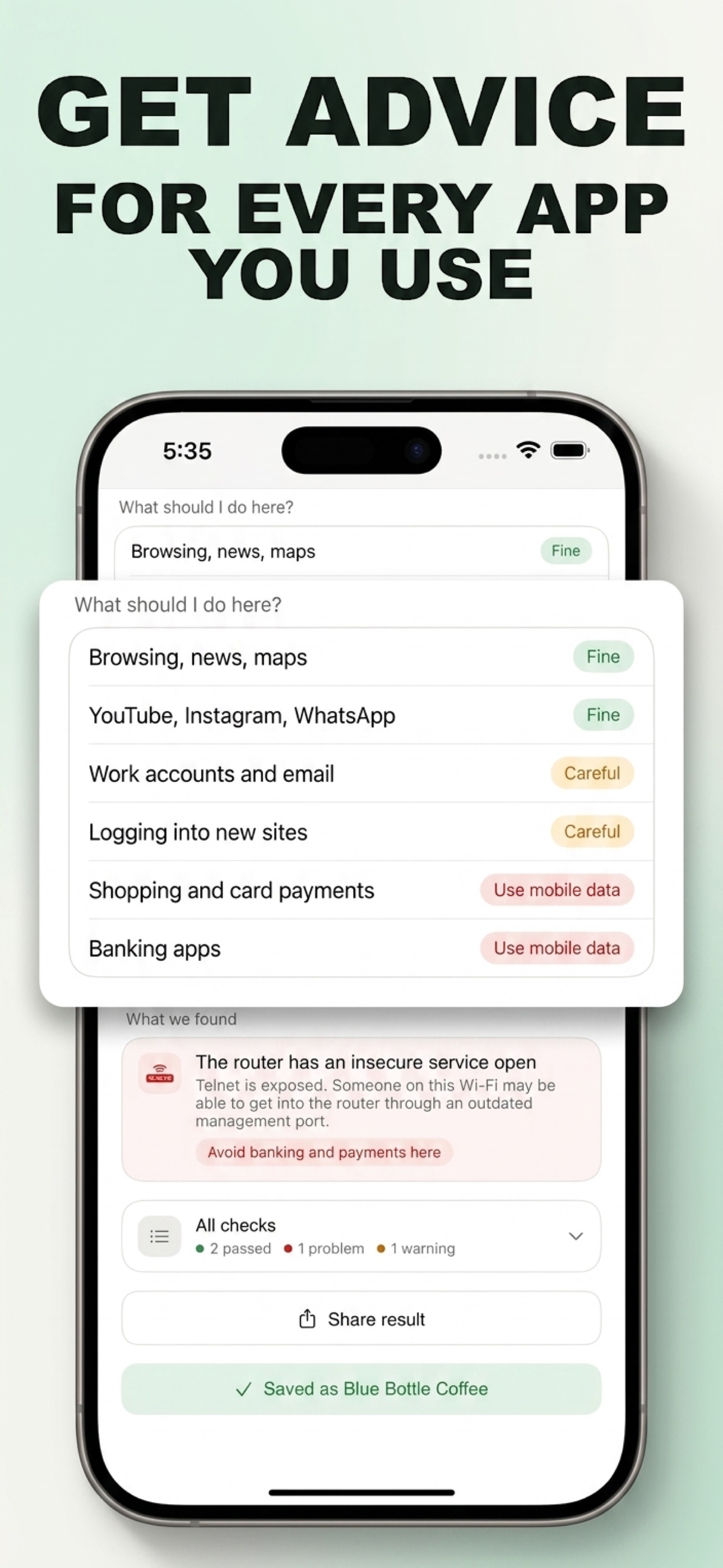
A verdict never contradicts the findings below it: if any activity reads other than Fine, there's a visible finding explaining why.
It can tell you a great deal: whether the network is encrypted, whether anything is intercepting secure connections, whether DNS answers are being tampered with, and whether other devices can reach your phone. It can't promise a network is safe, and WiSure doesn't claim to. It reports what it can actually observe.
No. WiSure checks the network itself, not what you do on it. Scans run on your device and results stay there.
Yes, on any Wi-Fi network your iPhone is connected to. On mobile data there's nothing to scan: a carrier connection isn't a shared network.
Every scan gives you a score and verdict for free. WiSure Pro unlocks the full breakdown behind that verdict. See pricing.
Free to download. Your first scan takes under a minute.
Download on the App Store